
Professional Map Production Workflow
From Raw GIS Data to a Stable Print-Ready Map
By now you understand:
-
What a vector map is
-
How to obtain geodata
-
Why topology matters
-
How projections distort
-
Why generalization is essential
-
How file formats work
Now we assemble everything into a controlled production pipeline.
Because professional cartography is not a set of tricks.
It is a system.
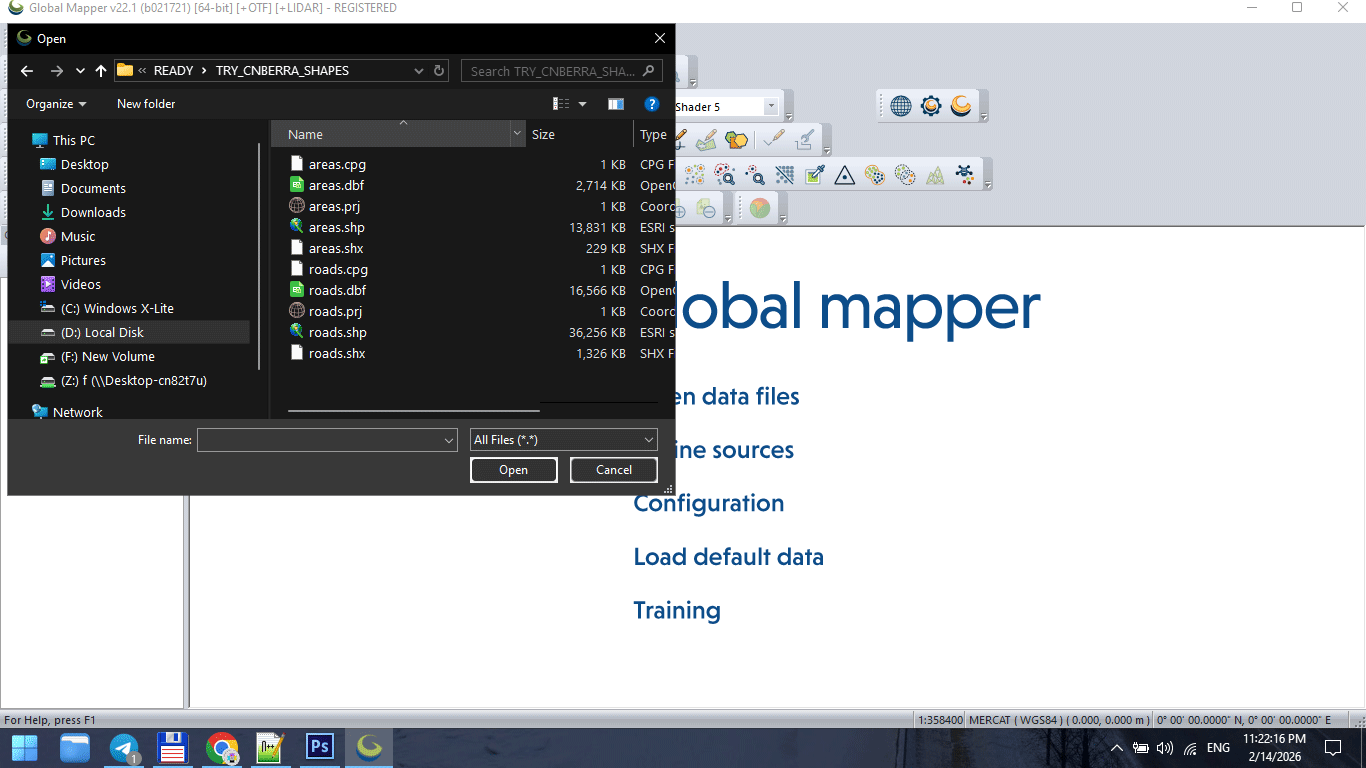
Figure 1. Raw GIS Data Import Stage.
The Complete Production Sequence
A stable vector map is created in stages:
-
Data acquisition
-
CRS alignment
-
Topology cleaning
-
Graph correction
-
Classification standardization
-
Generalization
-
Format export
-
Illustrator refinement
-
Print validation
Skipping stages causes instability later.
Stage 1 — Import Raw Data
Raw SHP or OSM extract is never ready for production.
Typical problems at this stage:
-
Inconsistent projection
-
Broken polygons
-
Duplicate segments
-
Attribute overload
-
Unnecessary object classes
Before doing anything else:
Inspect the dataset.
Never assume it is clean.
Stage 2 — Coordinate Reference System Alignment
All layers must share the same CRS.
Failure to align projection causes:
-
Offset layers
-
Misaligned boundaries
-
Incorrect scaling
-
Label distortion
CRS alignment is foundational.
Do it once, do it correctly.
Stage 3 — Topology Cleaning
Topology ensures geometric correctness.
Fix:
-
Unclosed polygons
-
Self-intersections
-
Duplicate boundaries
-
Micro-gaps
-
Overlapping lines
Topology errors may not be visible immediately.
But they appear during:
-
Simplification
-
Styling
-
Export
-
Printing
Clean topology prevents future chaos.
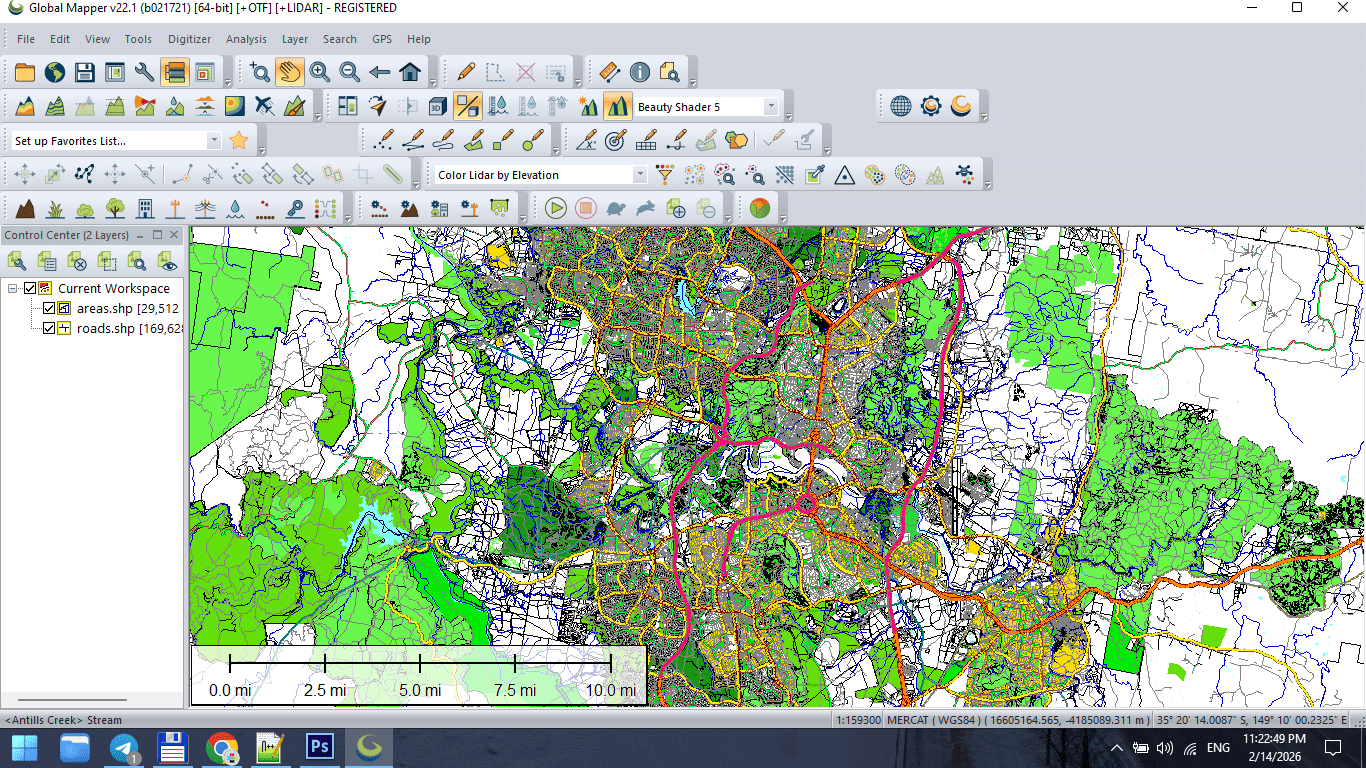
Figure 2. Topology Cleaning and Data Preparation.
Stage 4 — Structural Graph Validation
The street network must:
-
Be fully connected
-
Have no broken intersections
-
Have standardized classification
-
Avoid duplicate segments
The road graph defines structural logic.
If graph integrity fails, styling cannot compensate.
Stage 5 — Classification Standardization
Before design begins:
Unify road categories.
Example structure:
-
Motorway
-
Primary
-
Secondary
-
Tertiary
-
Residential
Standardized classification makes hierarchy predictable.
Without it, layer logic becomes unstable.
Stage 6 — Controlled Generalization
Apply simplification carefully.
Match tolerance to:
-
Final print scale
-
Geographic extent
-
Target audience
Over-simplification destroys recognizability.
Under-simplification overloads the map.
Balance is professional judgment.
Stage 7 — Intermediate Save
At this point, create a stable base file:
This becomes your production master.
Never export directly from raw data.
Stage 8 — Export to Design Environment
Export cleaned dataset to AI-compatible format.
Check:
-
Geometry integrity
-
Layer separation
-
Stroke conversion
-
Projection consistency
Do not apply final styling inside GIS.
Keep structure clean.
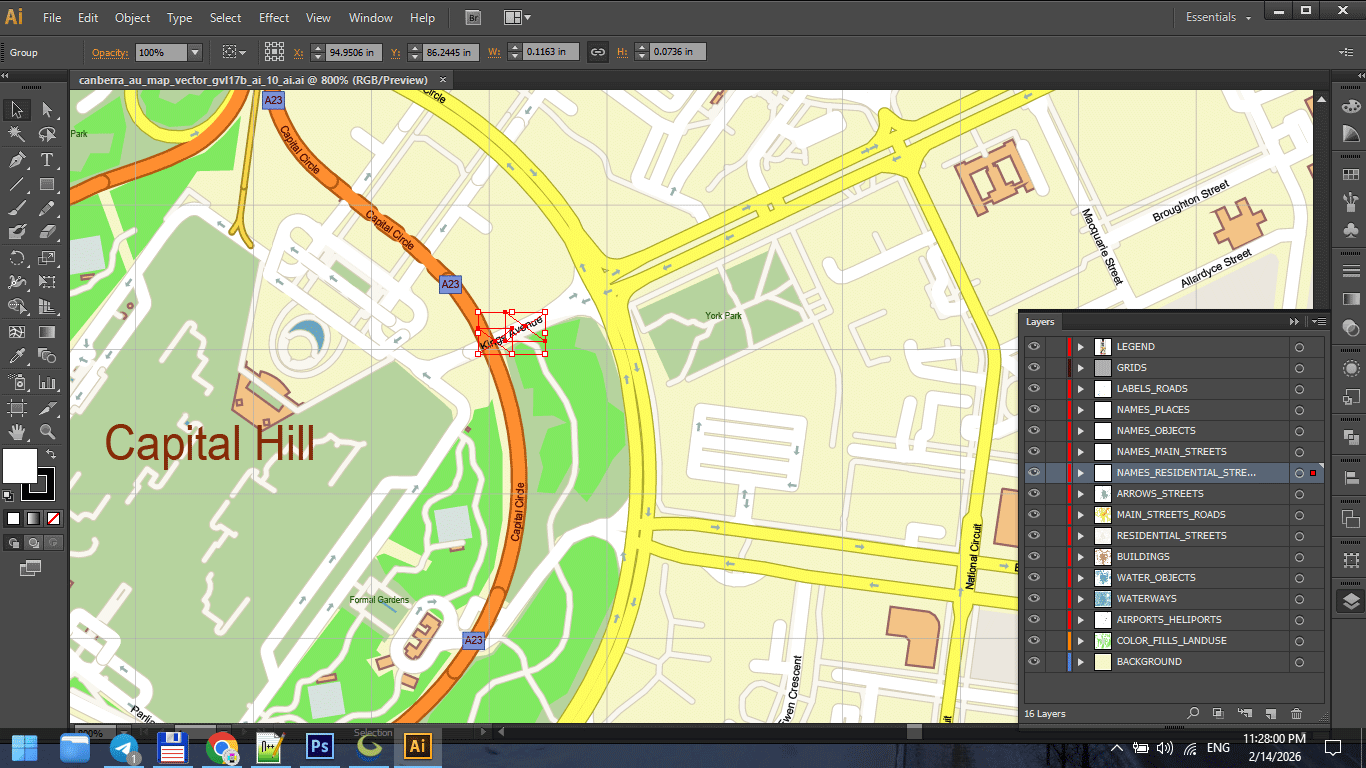
Figure 3. Final Print Map Preparation.
Stage 9 — Illustrator Refinement
Now design begins.
In Illustrator:
-
Organize layers
-
Establish stroke hierarchy
-
Apply typography
-
Adjust visual balance
-
Refine color palette
GIS builds structure.
Illustrator builds clarity.
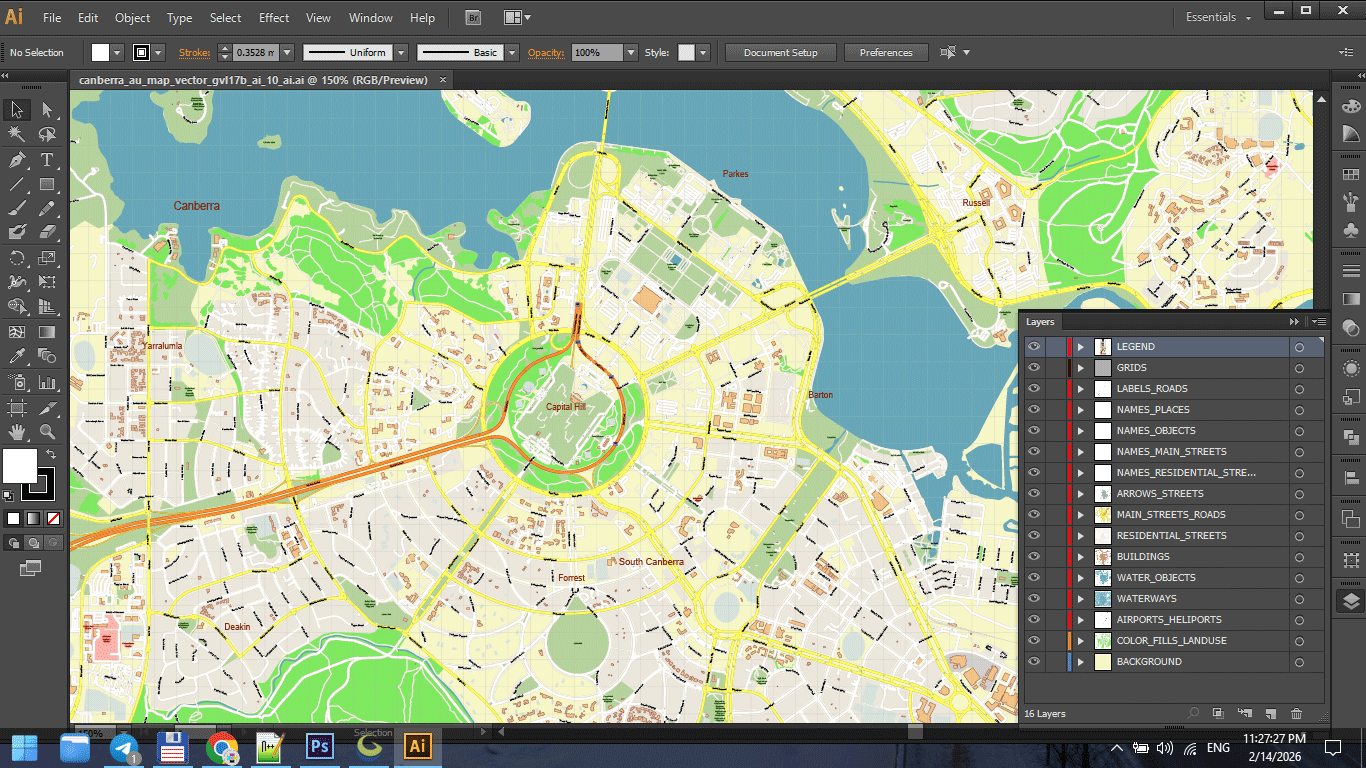
Figure 3a. Final Print Map Preparation.
Stage 10 — Performance Optimization
Large vector maps can become unstable.
Optimize by:
-
Removing unused objects
-
Reducing hidden layers
-
Avoiding unnecessary transparency
-
Keeping stroke styles simple
Performance is part of production discipline.
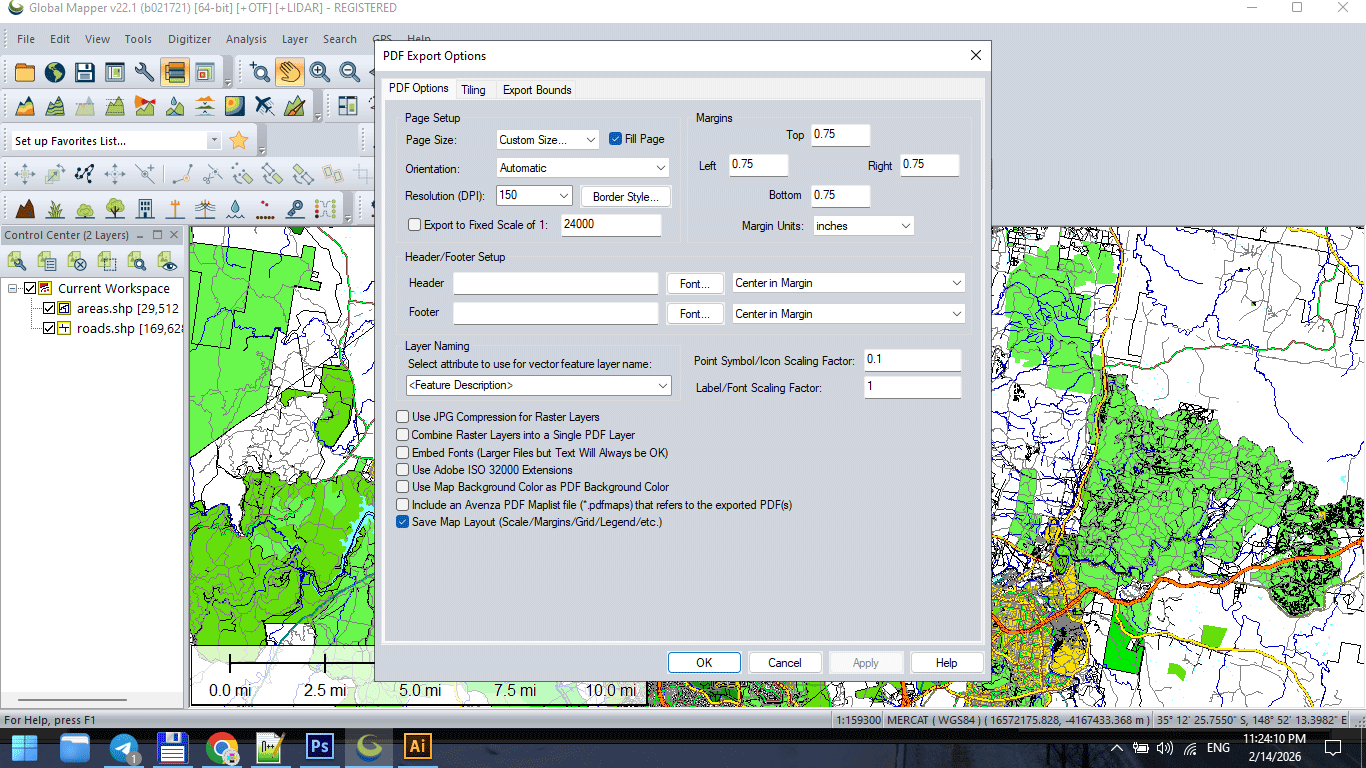
Figure 3b. Final Print Map Preparation.
Stage 11 — Print Validation
Before final export:
-
Zoom to 100% print scale
-
Check label readability
-
Inspect stroke consistency
-
Verify color mode
-
Print a test fragment
Screen approval is not print approval.
Always test physically.
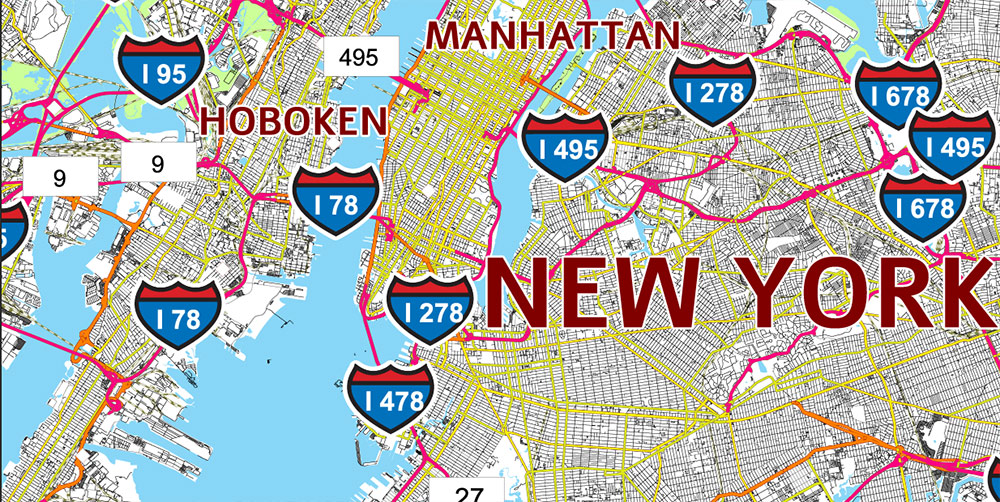
Figure 3c. Final Print Map Preparation.
Version Control Discipline
Professional workflow includes incremental saves:
v3_standardized
v4_generalized
v5_design
v6_print
Never overwrite stages.
Production errors are inevitable.
Recovery must be possible.
Why Workflow Discipline Matters
Without discipline:
-
Files become unstable
-
Export fails
-
Layers become chaotic
-
Revisions become impossible
With discipline:
-
Complex maps remain manageable
-
Large-scale printing becomes predictable
-
Projects remain reproducible
Cartography is engineering.
Engineering requires process.
Production Mindset
Think like an architect.
You do not decorate before the structure stands.
You do not simplify before cleaning.
You do not print before testing.
Every stage prepares the next one.
What Separates Amateur from Professional
Amateur workflow:
Import → Style → Export.
Professional workflow:
Import → Clean → Structure → Validate → Simplify → Export → Design → Test → Finalize.
The difference is not talent.
The difference is discipline.
Summary
Professional vector map production is:
-
Sequential
-
Structured
-
Controlled
-
Reproducible
It is not artistic improvisation.
It is engineered clarity.
When workflow is stable,
complex geography becomes manageable.
Next Chapter
Now that production structure is clear,
we move to the final critical stage:
→ Chapter 9 — Preparing a Vector Map for Print in Illustrator
Go to Start Page: Technology of Vector Map Production
Frequently Asked Questions
What is the correct order of map production?
Import → Clean → Validate → Generalize → Export → Design → Test → Finalize.
Why is version control important in cartography?
It prevents data loss and allows rollback if errors occur.
Should I simplify data before cleaning topology?
No. Clean structure first, simplify second.
Is Illustrator a GIS replacement?
No. Illustrator is for visual refinement, not structural data correction.
Table of contents
Chapter 1 — What Is a Vector Map?
Chapter 2 — Obtaining and Preparing Geodata (SHP, OSM, GeoJSON)
Chapter 3 — Street Network as a Graph (Nodes and Edges Explained)
Chapter 4 — Cartographic Layer Hierarchy and Visual Structure
Chapter 5 — Map Projections and Why Distortion Is Inevitable
Chapter 6 — Map Generalization and Scale Control
Chapter 7 — Vector Formats: SHP, GeoJSON, AI and PDF
Chapter 8 — Professional Map Production Workflow
Chapter 9 — Preparing a Vector Map for Print in Illustrator
Chapter 10 — Common Mistakes in Vector Map Production
 Author: Kirill Shrayber, Ph.D. FRGS