
Vector File Formats
SHP, GeoJSON, AI and PDF in Professional Map Production
At some point, every map project faces a critical transition:
From data
to product.
GIS formats store geographic information.
Design formats produce publishable maps.
Understanding the difference is essential.
GIS Formats vs Design Formats
Let’s be clear:
GIS formats are for data.
Design formats are for presentation.
Confusing these stages creates chaos.
A professional workflow moves through formats intentionally.
Shapefile (SHP)
Shapefile remains one of the most widely used GIS formats.
Despite its age, it is stable and production-friendly.
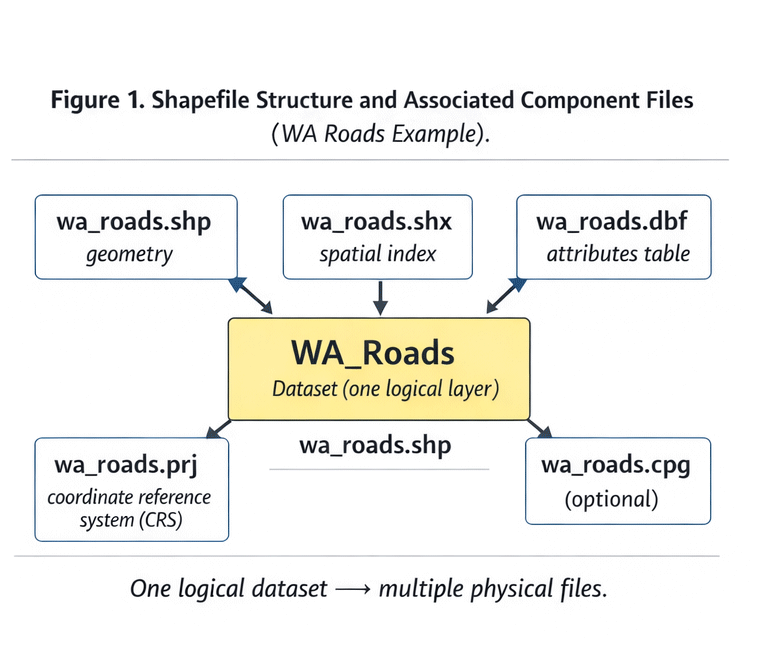
Figure 1. Shapefile Structure and Components.
What a Shapefile Actually Is
A shapefile is not one file.
It is a group of related components:
-
.shp— geometry -
.shx— geometry index -
.dbf— attribute table -
.prj— projection definition -
sometimes
.cpg,.qix, and others
If one component is missing, the dataset may break.
Why SHP Is Still Used
Advantages:
-
Industry standard
-
Broad software compatibility
-
Stable for large datasets
-
Easy to transfer
Limitations:
-
Field name length limits
-
No advanced topology
-
Multiple-file structure
-
No modern compression
Despite limitations, SHP works reliably for production.
GeoJSON
GeoJSON is a text-based geographic format built on JSON.
It is widely used in web mapping.
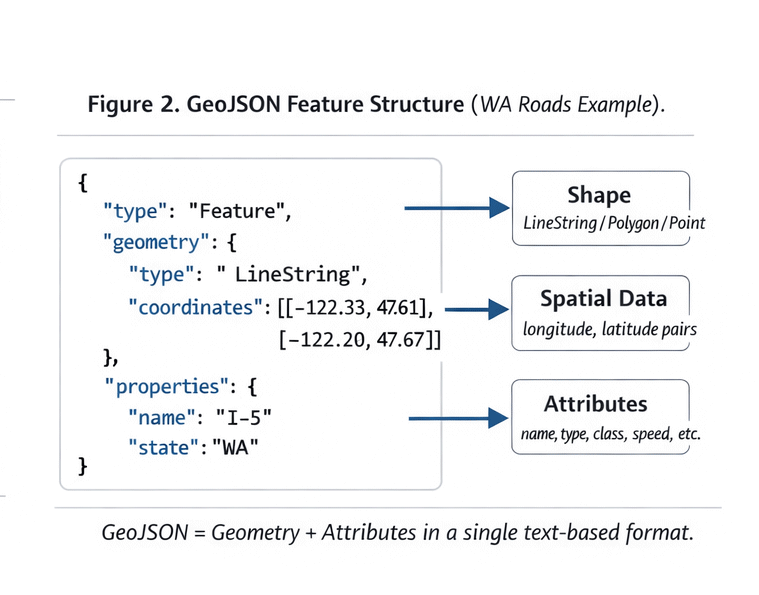
Figure 2. GeoJSON Data Structure Example.
Structure of GeoJSON
A typical GeoJSON file contains:
-
FeatureCollection
-
Features
-
Geometry objects
-
Properties (attributes)
It is readable and flexible.
When GeoJSON Is Useful
Best for:
-
Web applications
-
API-based workflows
-
Small datasets
-
Rapid prototyping
Limitations:
-
Large file sizes
-
Slow performance for heavy geometry
-
Not optimized for massive print projects
GeoJSON is excellent for web.
It is rarely ideal for large-format print production.
AI (Adobe Illustrator Format)
This is where cartographic data becomes design.
AI files:
-
Store vector paths
-
Maintain layers
-
Support typography
-
Enable stroke hierarchy
Illustrator is not a GIS tool.
It is a final production environment.
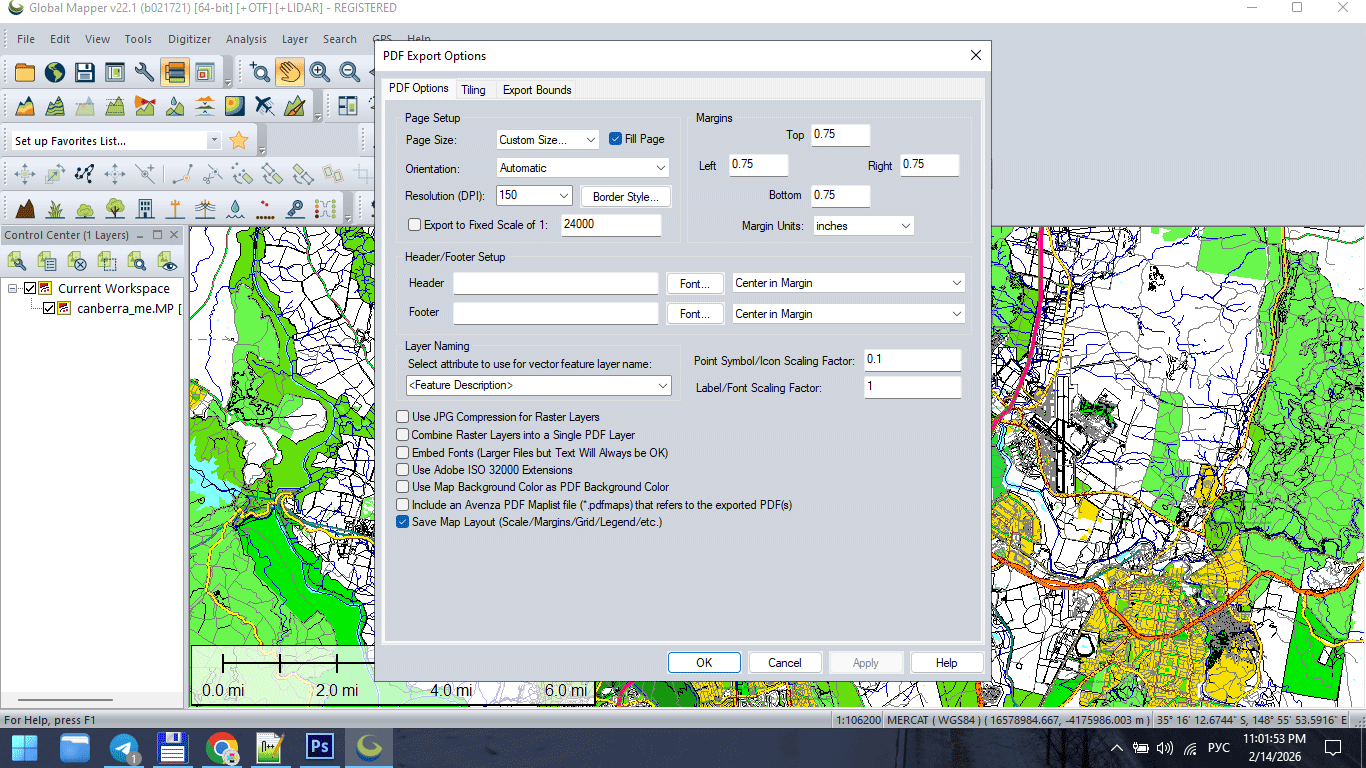
Figure 3. Vector Map Export for Print (AI/PDF).
Why AI 10 Is Often Preferred
Older Illustrator compatibility formats (such as AI 10) are often more stable for:
-
Large files
-
Complex geometry
-
Printing workflows
-
Cross-version compatibility
Modern versions sometimes introduce:
-
Transparency issues
-
Unexpected rendering behavior
-
Performance slowdowns
Stability matters more than novelty in production.
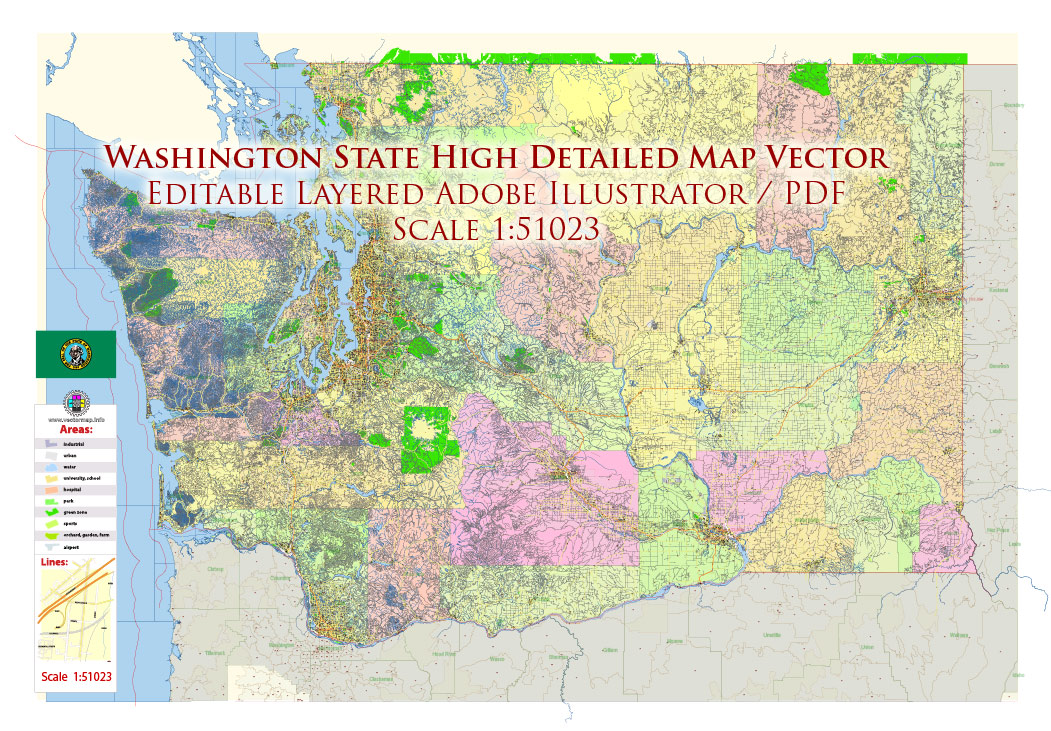
Figure 3a. Vector Map Export for Print (AI/PDF).
Vector PDF
The final destination for print maps.
A professional vector PDF must:
-
Contain 100% vector geometry
-
Preserve layer structure (if required)
-
Avoid unintended rasterization
-
Maintain stroke clarity
-
Use correct color mode (RGB or CMYK)
If a PDF becomes rasterized,
it is no longer production-grade.
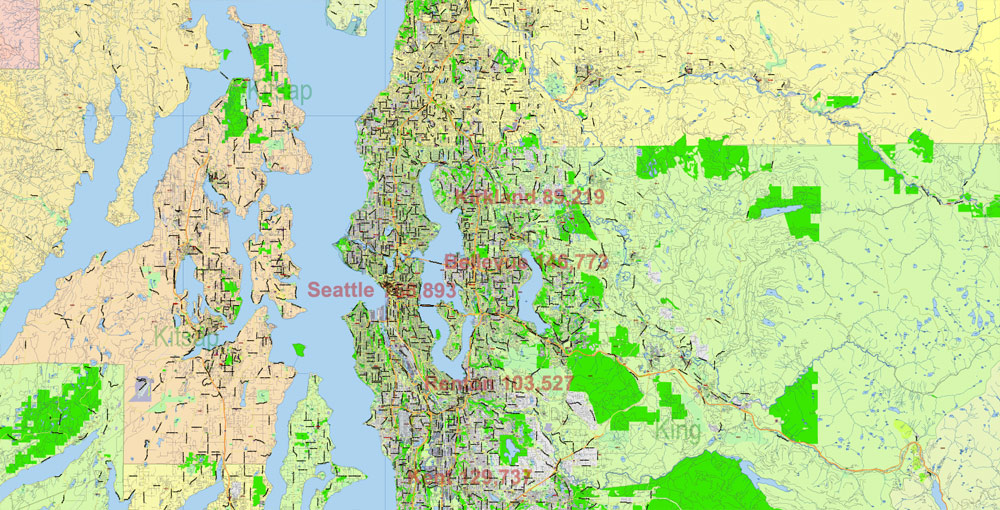
Figure 3b. Vector Map Export for Print (AI/PDF).
GIS → Illustrator → PDF Workflow
Professional pipeline typically follows:
-
Clean SHP / GIS dataset
-
Generalize geometry
-
Export to AI-compatible format
-
Final design in Illustrator
-
Convert text to outlines
-
Export print-ready PDF
Each stage has a purpose.
Skipping stages creates instability.
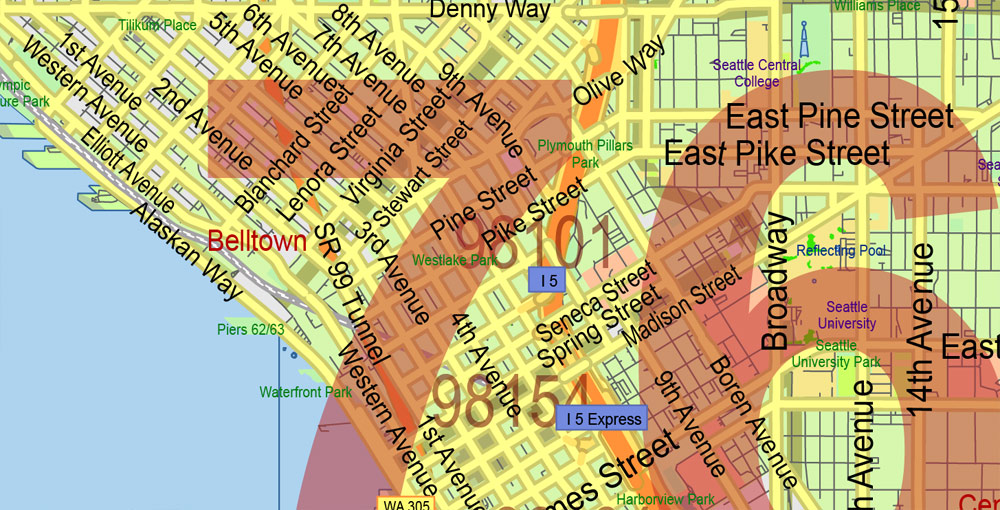
Figure 3c. Vector Map Export for Print (AI/PDF).
Why You Should Not Design Inside GIS
Many beginners attempt to finish maps directly in GIS software.
Problems:
-
Limited typography control
-
Poor layer styling flexibility
-
Export artifacts
-
Inconsistent stroke rendering
-
Weak print optimization
GIS prepares structure.
Illustrator finishes the product.
Common File Format Mistakes
-
Sending SHP files directly to print
-
Exporting raster PDF instead of vector
-
Ignoring projection metadata
-
Mixing RGB and CMYK unintentionally
-
Flattening layers too early
-
Losing attribute information during export
Professional production respects format boundaries.
File Size and Performance
Large vector maps can reach:
-
Hundreds of MB
-
Millions of nodes
-
Thousands of layers
To maintain stability:
-
Remove unnecessary attributes
-
Generalize geometry
-
Keep layer structure clean
-
Avoid excessive effects
Performance is not accidental.
It is engineered.
Choosing the Right Format at Each Stage
Use:
-
SHP → for structured geodata
-
GeoJSON → for web workflows
-
AI → for cartographic design
-
PDF → for final print delivery
Each format has a role.
Misusing formats causes friction.
Summary
Vector file formats define workflow.
GIS formats:
-
Store data
-
Preserve attributes
-
Maintain spatial structure
Design formats:
-
Control visual hierarchy
-
Manage typography
-
Prepare for printing
Professional cartography moves through formats deliberately.
Data becomes structure.
Structure becomes design.
Design becomes product.
Next Chapter
Now that format logic is clear,
we move to the full production pipeline.
→ Chapter 8 — Professional Map Production Workflow
Go to Start Page: Technology of Vector Map Production
Frequently Asked Questions
What is the difference between SHP and AI files?
SHP stores geographic data and attributes. AI is used for final cartographic design.
Can I send a shapefile directly to print?
No. Shapefiles must be styled and refined in a design environment before printing.
Is vector PDF better than raster PDF for maps?
Yes. Vector PDF maintains sharp lines and scalable geometry.
Why convert text to outlines before printing?
To prevent font substitution and rendering errors.
Table of contents
Chapter 1 — What Is a Vector Map?
Chapter 2 — Obtaining and Preparing Geodata (SHP, OSM, GeoJSON)
Chapter 3 — Street Network as a Graph (Nodes and Edges Explained)
Chapter 4 — Cartographic Layer Hierarchy and Visual Structure
Chapter 5 — Map Projections and Why Distortion Is Inevitable
Chapter 6 — Map Generalization and Scale Control
Chapter 7 — Vector Formats: SHP, GeoJSON, AI and PDF
Chapter 8 — Professional Map Production Workflow
Chapter 9 — Preparing a Vector Map for Print in Illustrator
Chapter 10 — Common Mistakes in Vector Map Production
 Author: Kirill Shrayber, Ph.D. FRGS