
Map Generalization
How to Control Detail Without Destroying Shape
When beginners first see raw geodata,
they are impressed.
So many details.
So many vertices.
So much precision.
Then they try to print it.
And everything collapses.
Coastlines look noisy.
Roads look tangled.
File size explodes.
Illustrator slows down.
This is where generalization begins.
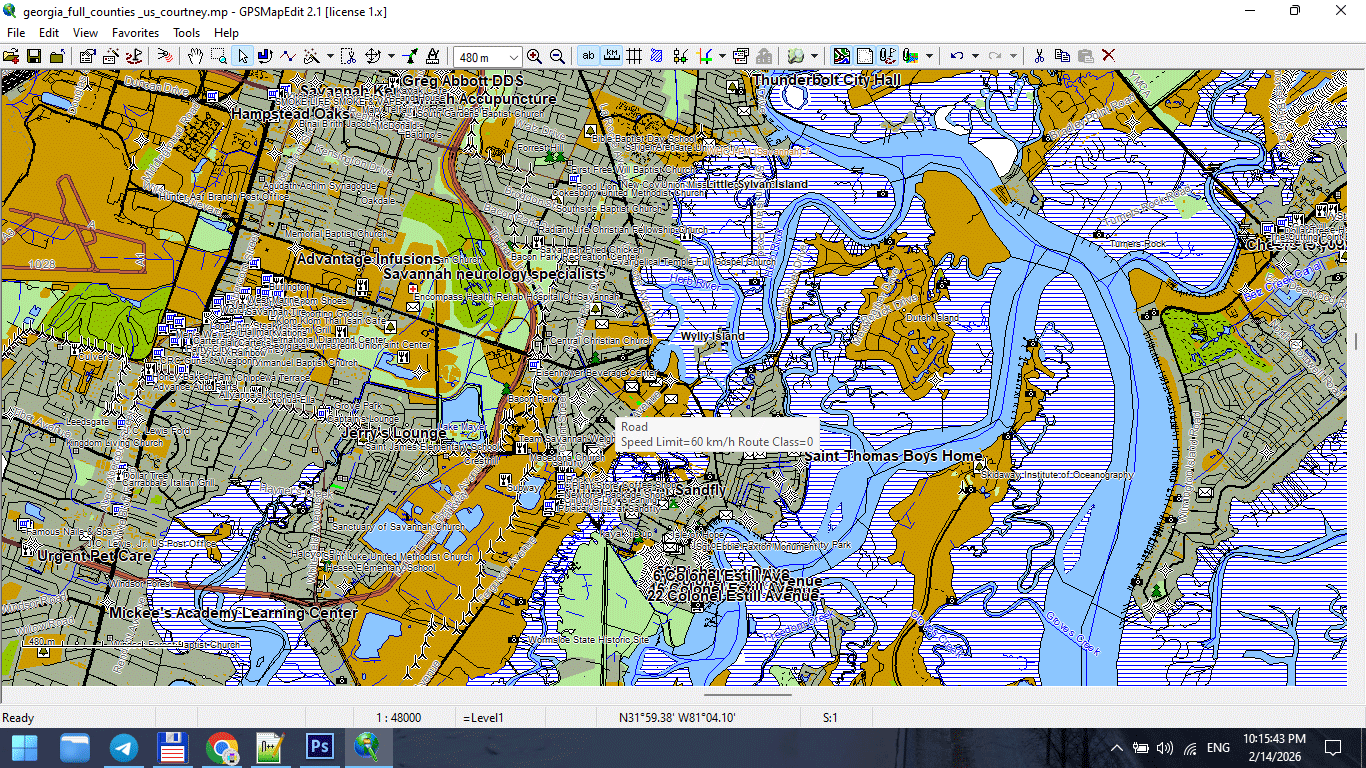
Figure 1. High-Detail Map at Large Scale.
What Is Map Generalization?
Map generalization is the controlled simplification of geographic data to match map scale and purpose.
It is not random deletion.
It is structured reduction.
Generalization allows you to:
-
Reduce visual noise
-
Improve readability
-
Stabilize file performance
-
Maintain recognizable shapes
-
Adapt data to print scale
Generalization is not data loss.
It is editorial decision-making.
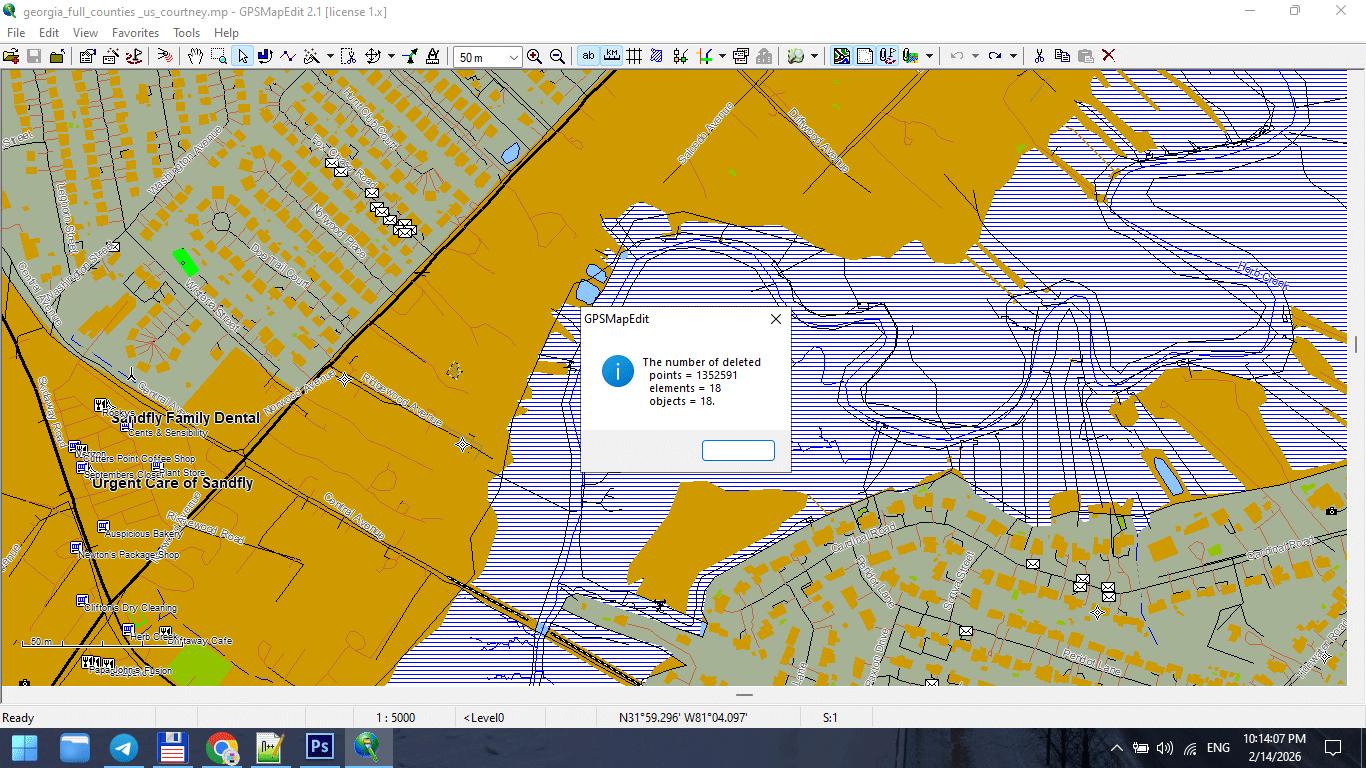
Figure 2. Line Simplification During Generalization.
Why Raw Data Is Not Print-Ready
Raw GIS datasets are built for:
-
Analysis
-
Measurement
-
Data storage
They are not built for:
-
Large-format wall maps
-
Visual clarity
-
Typography balance
-
Stroke hierarchy
Raw data is often:
-
Over-detailed
-
Fragmented
-
Over-segmented
-
Topologically heavy
If you skip generalization,
your print map will suffer.
The Relationship Between Scale and Detail
This is the key principle:
Generalization must match the final print scale — not the original data precision.
Example:
If your dataset contains 1-meter precision,
but your map scale is 1:250,000,
most of that detail is invisible and unnecessary.
Too much detail at small scale creates noise.
Less detail at large scale improves clarity.
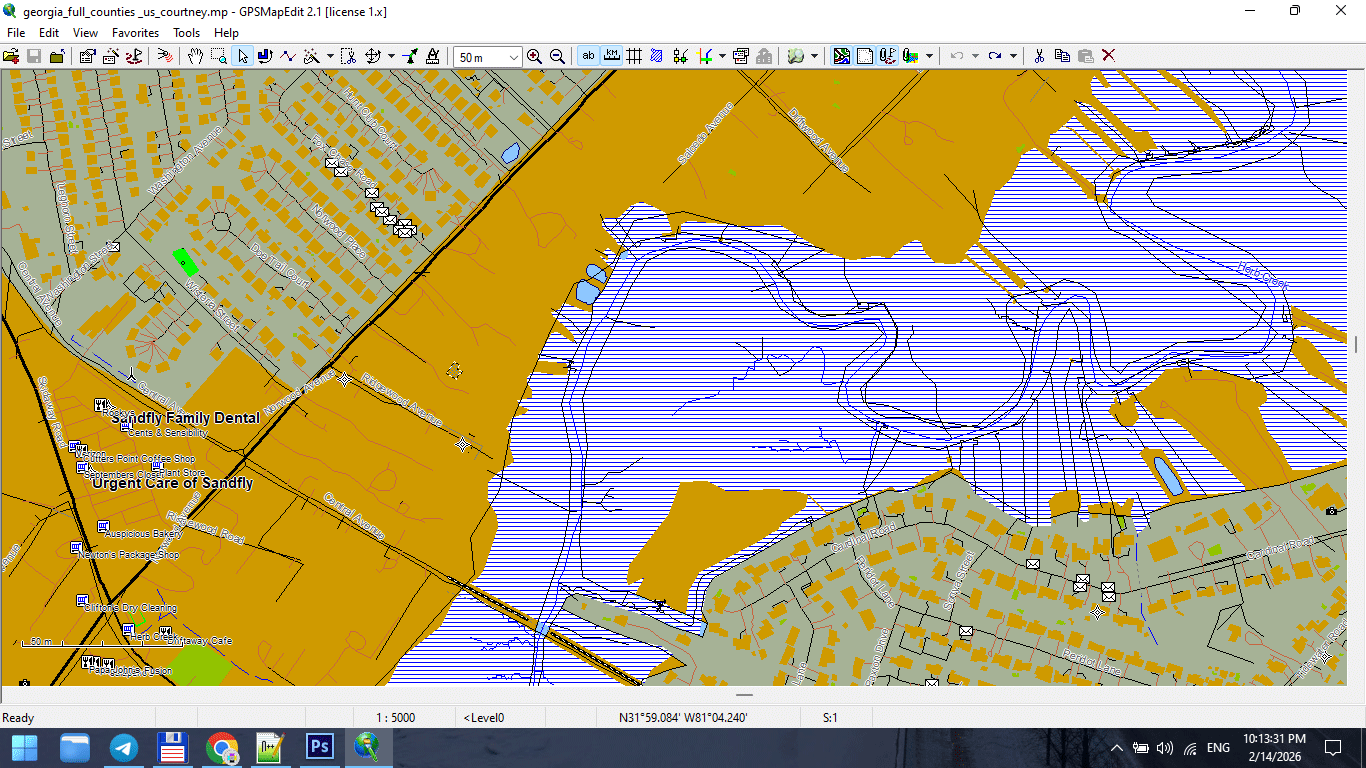
Figure 3. Small-Scale Map After Feature Generalization.
Types of Generalization
Professional cartography uses multiple forms of generalization.
1. Geometric Simplification
Reduces the number of vertices in lines and polygons.
Common algorithm:
Douglas–Peucker simplification.
Goal:
Preserve overall shape while reducing node count.
Danger:
Too aggressive simplification destroys coastline identity.
2. Topological Generalization
Maintains logical relationships between objects.
Ensures:
-
Roads remain connected
-
Polygons remain closed
-
Boundaries remain consistent
Never simplify geometry without preserving topology.
3. Semantic Generalization
Removes entire object classes based on scale.
For example:
At 1:5,000,000 scale:
-
Residential streets disappear
-
Small rivers disappear
-
Minor buildings disappear
This is not simplification —
it is selective omission.
4. Smoothing
Reduces sharp angles and visual “noise.”
Useful for:
-
Coastlines
-
Natural boundaries
-
Rivers
Must be applied carefully.
Over-smoothing destroys geographic character.
When to Generalize
Generalization should occur:
-
After topology cleaning
-
Before final Illustrator export
-
After classification standardization
Do not generalize raw, uncleaned data.
Fix structure first.
Simplify second.
Common Beginner Mistakes
-
Applying maximum simplification
-
Using the same tolerance for all layers
-
Simplifying roads and coastlines equally
-
Ignoring scale
-
Forgetting to save intermediate versions
Generalization is not “click once and done.”
It requires testing.
Practical Generalization Strategy
Instead of asking:
“How much can I simplify?”
Ask:
“How much can I remove while preserving recognizability?”
Guidelines:
-
Coastlines → light simplification
-
Administrative boundaries → moderate
-
Roads → controlled and tested
-
Buildings → often semantic removal at smaller scales
Tolerance and Scale
Tolerance values depend on:
-
Map scale
-
Geographic extent
-
Printing size
Example logic:
-
Large-scale city map → minimal simplification
-
Regional map → moderate simplification
-
National map → strong simplification
-
World map → aggressive semantic filtering
There is no universal number.
Only context.
Performance and Stability Benefits
Proper generalization:
-
Reduces file size
-
Speeds up Illustrator
-
Prevents export crashes
-
Improves stroke clarity
-
Enhances label placement
Unnecessary vertices are invisible in print
but destructive in production.
Recognizability Rule
After simplification:
-
Does the coastline still look correct?
-
Does the river still follow its natural curve?
-
Does the city still feel authentic?
If not — you simplified too much.
Recognizability is more important than geometric purity.
Professional Workflow Tip
Always keep versions:
map_generalized_v1.shp
map_generalized_v2.shp
Never overwrite your clean dataset.
You may need to adjust tolerance later.
Generalization in Software
Most GIS tools include:
-
Simplify Lines
-
Simplify Polygons
-
Topology-preserving simplification
But remember:
The tool does not decide quality.
You do.
Generalization is editorial judgment.
Summary
Map generalization is:
-
Controlled simplification
-
Scale adaptation
-
Performance optimization
-
Visual clarity management
It is not data destruction.
It is professional refinement.
Without generalization,
print cartography becomes unstable.
With correct generalization,
complex geography becomes readable.
Next Chapter
Now that the geometry is optimized,
we move to file formats and export logic.
→ Chapter 7 — Vector Formats: SHP, GeoJSON, AI and PDF
Go to Start Page: Technology of Vector Map Production
Frequently Asked Questions
What is map generalization?
Map generalization is the controlled simplification of geographic data to match scale and improve readability.
What happens if I over-generalize?
Geographic shapes lose recognizability and become unrealistic.
Is generalization necessary for large maps?
Yes. Without simplification, files become heavy and visually noisy.
Should all layers use the same simplification tolerance?
No. Different object types require different levels of simplification.
Table of contents
Chapter 1 — What Is a Vector Map?
Chapter 2 — Obtaining and Preparing Geodata (SHP, OSM, GeoJSON)
Chapter 3 — Street Network as a Graph (Nodes and Edges Explained)
Chapter 4 — Cartographic Layer Hierarchy and Visual Structure
Chapter 5 — Map Projections and Why Distortion Is Inevitable
Chapter 6 — Map Generalization and Scale Control
Chapter 7 — Vector Formats: SHP, GeoJSON, AI and PDF
Chapter 8 — Professional Map Production Workflow
Chapter 9 — Preparing a Vector Map for Print in Illustrator
Chapter 10 — Common Mistakes in Vector Map Production
 Author: Kirill Shrayber, Ph.D. FRGS