
Vector vs Raster Maps Explained for Print Cartography
Modern users think they understand maps.
They use Google Maps.
They zoom.
They search.
They navigate.
But what they see is not a map in the classical cartographic sense.
It is a tile service.
If you want to create professional print maps, you must understand the difference.
What Is a Vector Map?
A vector map is a mathematical representation of geographic space.
It is built from:
-
Points — locations (POI, markers, landmarks)
-
Lines — roads, rivers, railways, boundaries
-
Polygons — buildings, land use areas, lakes, administrative zones
-
Attributes — names, classifications, metadata
-
Coordinate Reference System (CRS) — the spatial framework
A vector map is not an image.
It is structured geographic data.
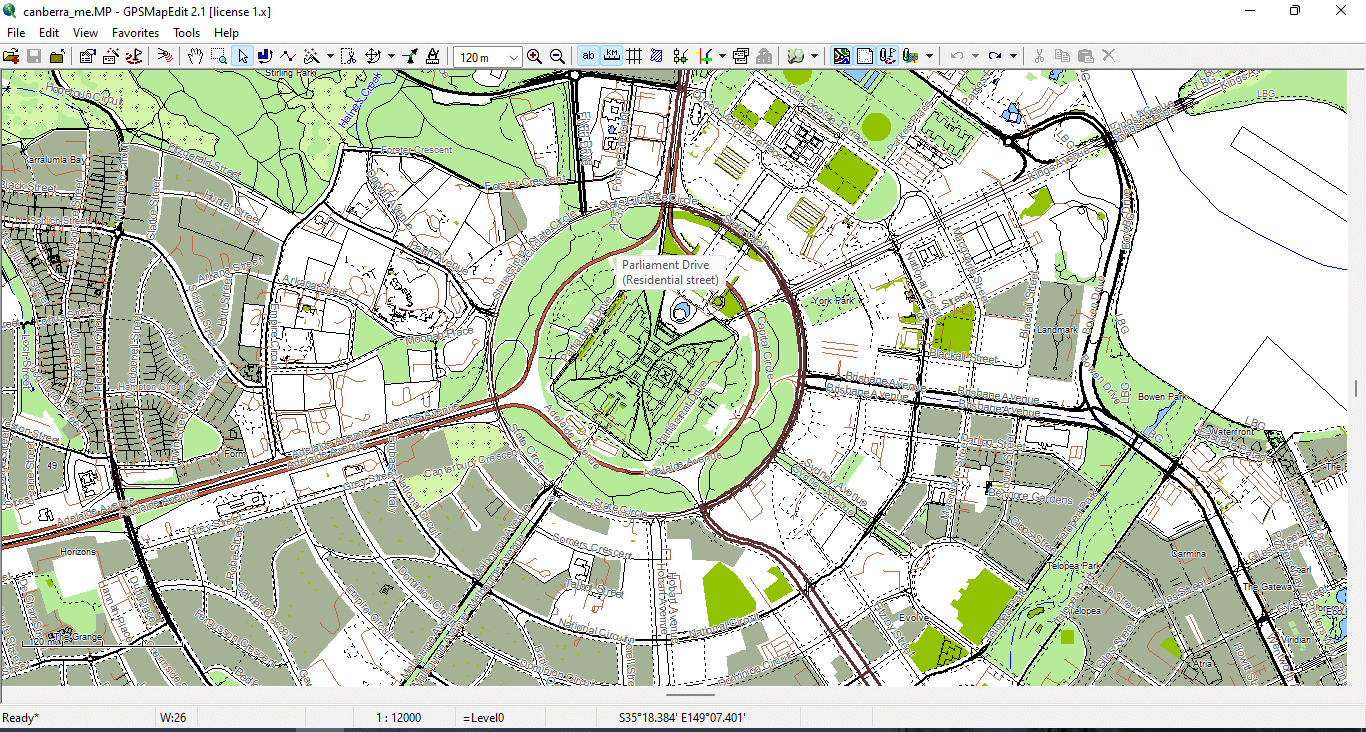
Figure 1. Basic Vector Geometry Types: Points, Lines, and Polygons.
How Online Maps Actually Work
Most web maps (Google, Bing, many others) use:
-
256×256 pixel raster tiles
-
Dynamic zoom levels
-
Predefined styling
-
Server-side generalization
You do not control:
-
line thickness
-
visual hierarchy
-
projection
-
simplification level
-
typography
-
layer stacking
The rendering logic belongs to the provider.
For navigation, this is fine.
For professional cartography — it is not.
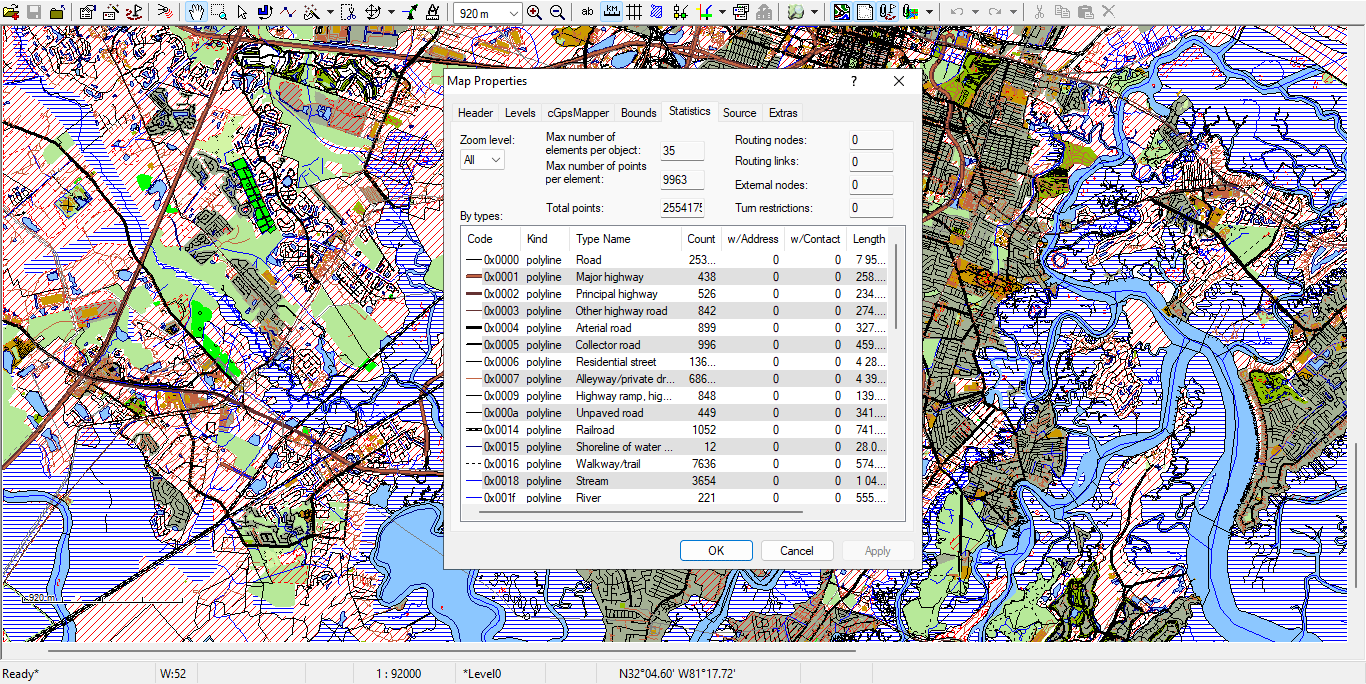
Figure 2. Example of Road Layer Attribute Table in GIS.
Vector Map vs Raster Map
Raster Map
-
Built from pixels
-
Fixed resolution
-
Loses quality when scaled
-
Hard to edit object-by-object
-
Often exported as JPG or PNG
Vector Map
-
Built from coordinates
-
Infinite scaling without quality loss
-
Editable at object level
-
Supports topology
-
Ideal for large-format printing
-
Exportable to AI and vector PDF
If you enlarge a raster image, it becomes blurry.
If you enlarge a vector map, it becomes sharper.
That is the fundamental difference.
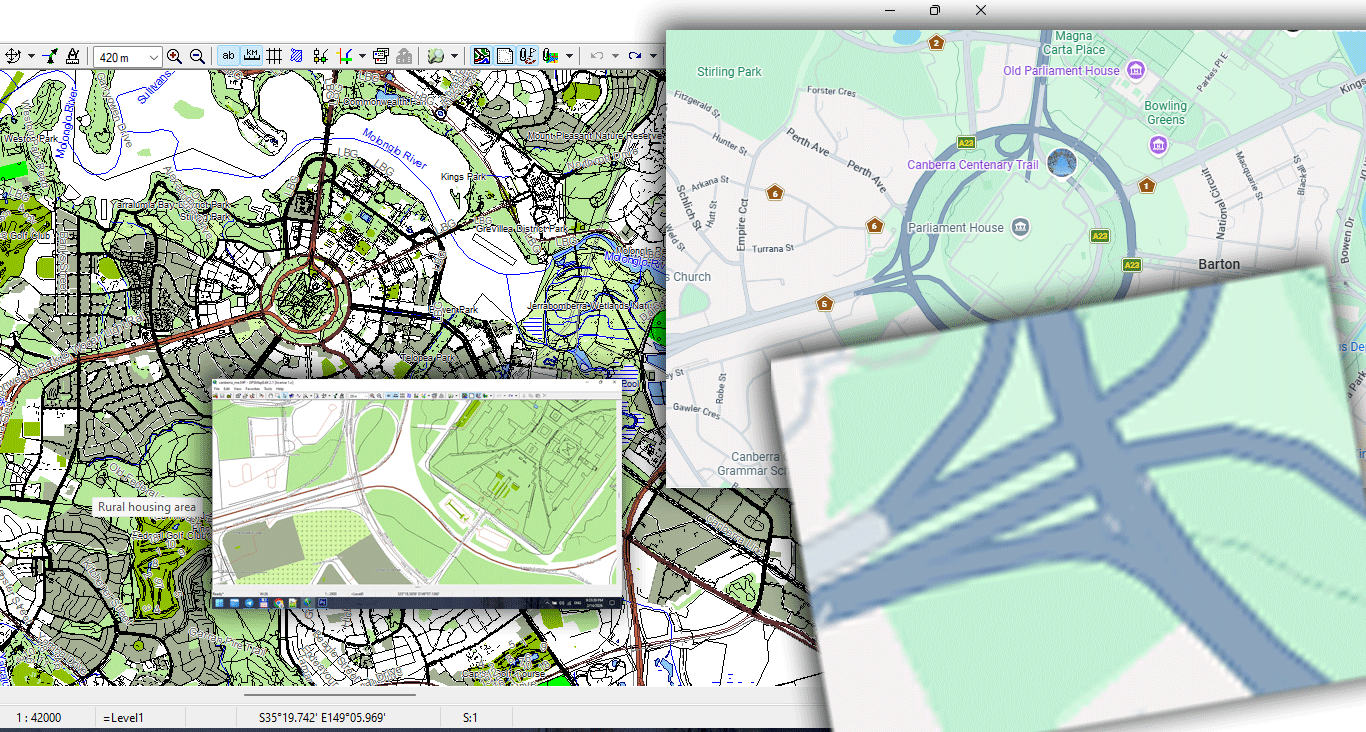
Figure 3. Vector vs Raster Data Structure Comparison.
Why Vector Maps Are Essential for Print
Large wall maps require:
-
Precise line hierarchy
-
Correct stroke weights
-
Clean typography
-
Controlled generalization
-
Stable file size
-
High-resolution export
Raster maps cannot handle that properly.
Vector geometry allows:
-
1-meter precision
-
Smooth curves
-
Optimized coastline simplification
-
Controlled detail density
-
Professional print workflows
If you plan to produce large-format maps, vector is not optional.
It is mandatory.
Core Components of Vector Geometry
1. Points
Used for:
-
Landmarks
-
POI
-
Control nodes
-
Labels
Points can carry attributes such as:
-
Name
-
Category
-
ID
2. Lines (LineString)
Used for:
-
Roads
-
Rivers
-
Railways
-
Borders
Lines consist of vertices (nodes).
Too many vertices make the file heavy.
Too few destroy shape accuracy.
Balancing this is called generalization (covered in Chapter 6).
3. Polygons
Used for:
-
Buildings
-
Lakes
-
Parks
-
Administrative boundaries
-
Land use zones
Polygons must be topologically correct:
-
Closed
-
Non-self-intersecting
-
Free of micro-gaps
Otherwise printing and export problems appear.
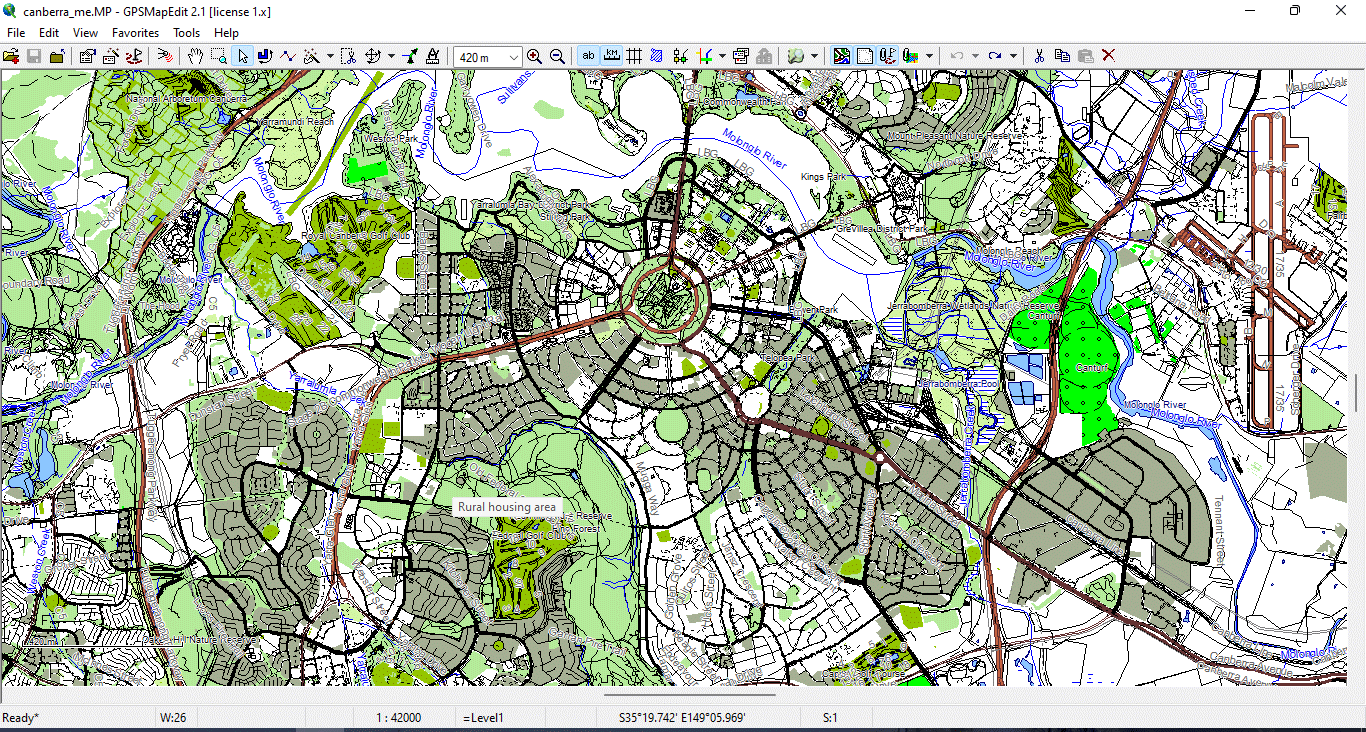
Figure 4. Vector layers geometry types 2.
What Is CRS (Coordinate Reference System)?
Every vector dataset must have a coordinate system.
Common systems include:
-
WGS84
-
Web Mercator
-
Local projected systems
If you mix coordinate systems in one project, geometry shifts occur.
Before starting production:
Always verify CRS alignment.
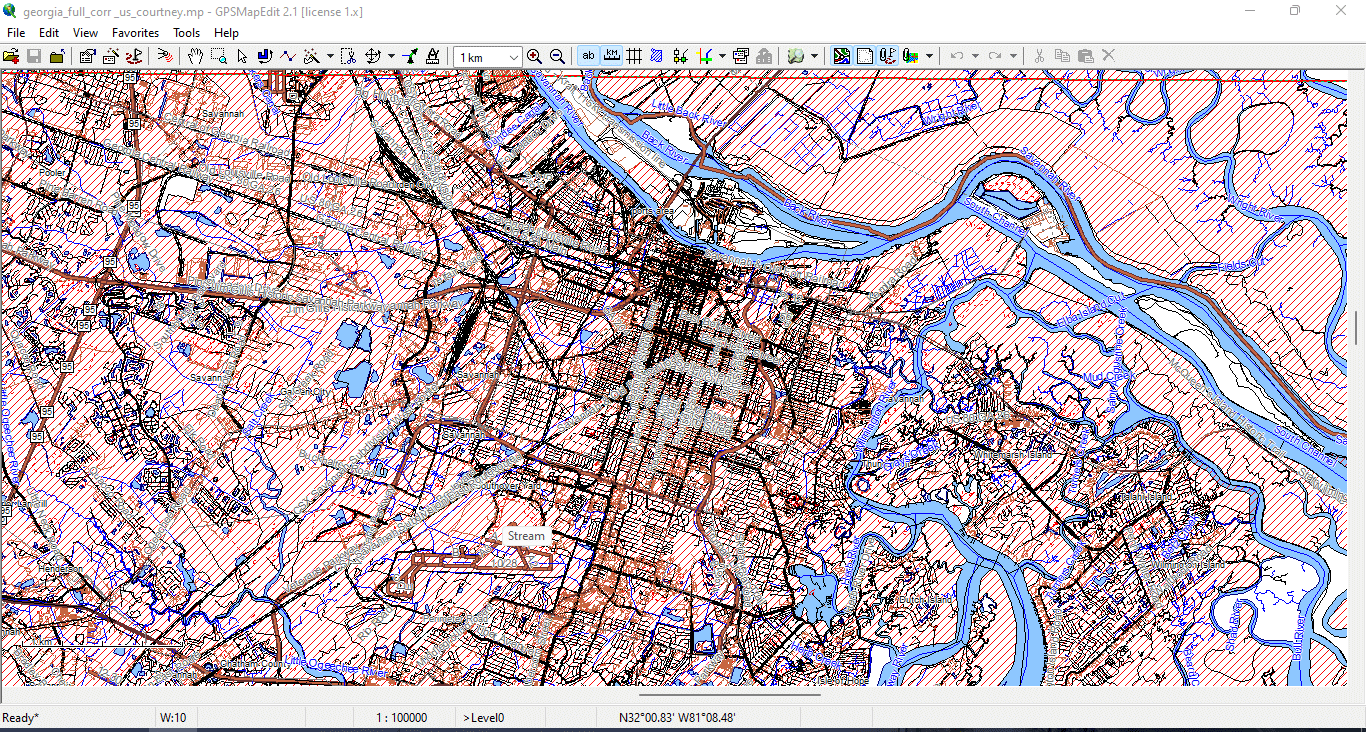
Figure 5. Vector layers geometry types 3.
Why Beginners Get Confused
Many beginners think:
“Google Maps looks fine — I can just export it.”
You cannot.
Web maps:
-
Are copyrighted
-
Are raster-based
-
Are not optimized for print
-
Cannot provide full vector geometry
-
Cannot be fully controlled
Professional cartography requires raw geodata.
A Simple Test
Open a JPG map.
Zoom to 800%.
It becomes blurry.
Now open a vector PDF.
Zoom to 800%.
Lines remain sharp.
That difference is why vector maps dominate professional map publishing.
Summary
A vector map is:
-
Mathematical
-
Scalable
-
Editable
-
Structured
-
Suitable for print
Raster maps are images.
Vector maps are geographic data systems.
If you want to build professional maps, you must work in vector format from the very beginning.
Next Step
Now that you understand what a vector map is,
the next step is learning how to obtain and prepare professional geodata.
→ Continue to:
Chapter 2 — Obtaining and Preparing Geodata (SHP, OSM, GeoJSON)
Go to Start Page: Technology of Vector Map Production
Frequently Asked Questions
What is the difference between a vector map and a raster map?
A vector map is built from geographic coordinates (points, lines, polygons) and scales without quality loss. A raster map is pixel-based and loses clarity when enlarged.
Why can’t I use Google Maps for print production?
Google Maps uses raster tiles and proprietary rendering. It does not provide full editable vector geometry suitable for professional print workflows.
Are vector maps better for large wall maps?
Yes. Vector maps maintain sharp lines and readable typography at any scale, making them ideal for large-format printing.
What software is required for vector map production?
Typically GIS software for data processing and Adobe Illustrator for final design and print preparation.
Table of contents
Chapter 1 — What Is a Vector Map?
Chapter 2 — Obtaining and Preparing Geodata (SHP, OSM, GeoJSON)
Chapter 3 — Street Network as a Graph (Nodes and Edges Explained)
Chapter 4 — Cartographic Layer Hierarchy and Visual Structure
Chapter 5 — Map Projections and Why Distortion Is Inevitable
Chapter 6 — Map Generalization and Scale Control
Chapter 7 — Vector Formats: SHP, GeoJSON, AI and PDF
Chapter 8 — Professional Map Production Workflow
Chapter 9 — Preparing a Vector Map for Print in Illustrator
Chapter 10 — Common Mistakes in Vector Map Production
 Author: Kirill Shrayber, Ph.D. FRGS